
Connect Odoo or Zoho CRM to WhatsApp
Keep your CRM as the customer record, and run WhatsApp conversations, campaigns and follow-ups from BizBotify.
BizBotify connects Odoo and Zoho CRM to the official WhatsApp Business API. Your CRM sends its customers into BizBotify as contacts and can send WhatsApp messages and approved templates through your number. With Odoo you can also press Push to Odoo on an enquiry card to create the customer and opportunity in Odoo. You create the connection under Settings → Integrations → CRM connections and paste its setup values into the BizBotify connector in your CRM, which BizBotify provides on request.
How to connect your CRM
Open Settings → Integrations → CRM connections and click Add connection
Pick your CRM provider (Odoo or Zoho) and give the connection a name such as "Production Odoo". Choose the Default WhatsApp account your CRM will send from, or leave it on the workspace default.
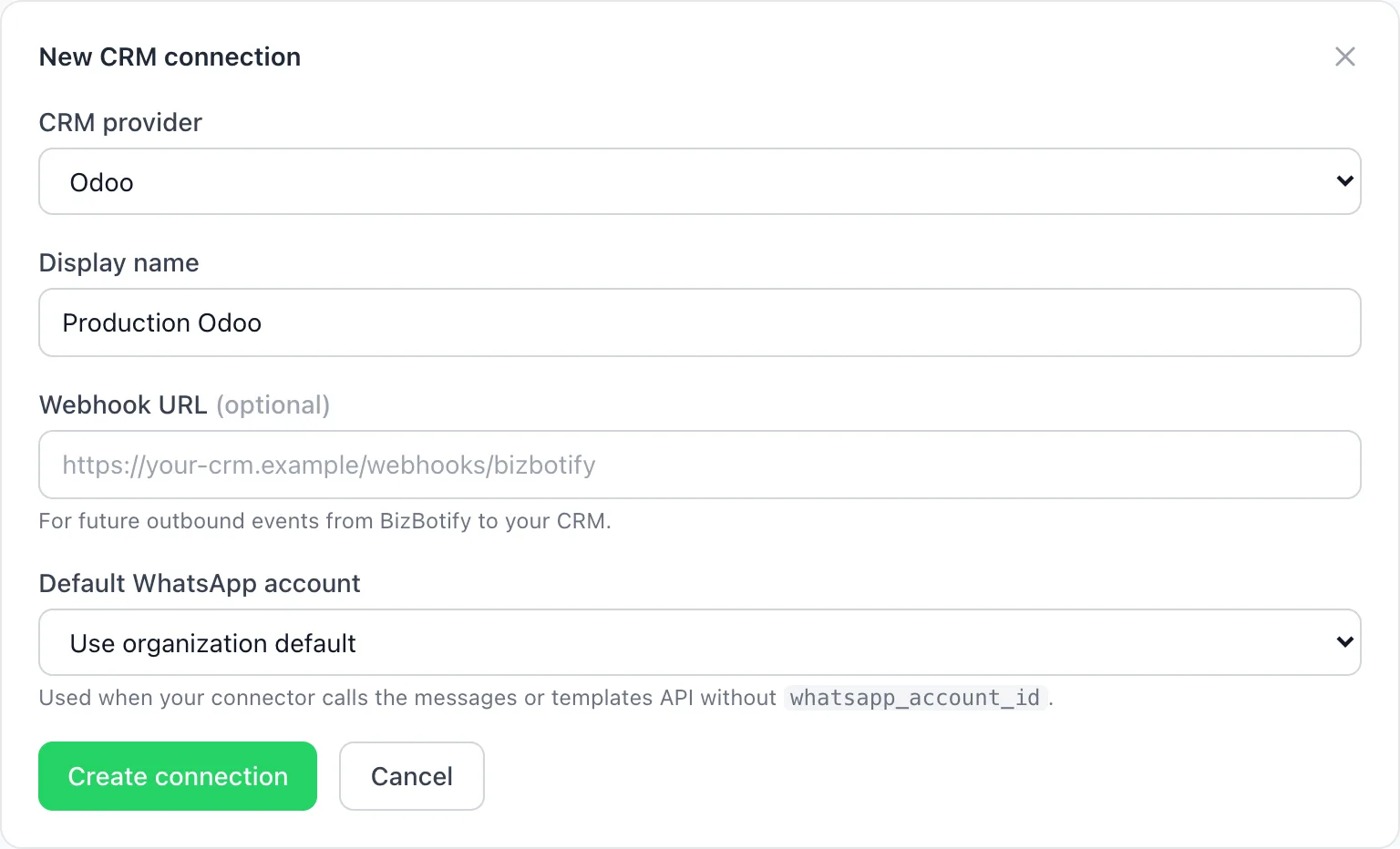
Copy the setup values into your CRM
Click Create connection, then Copy all setup values. The API key is shown only once. Paste the values into the BizBotify connector in your CRM; in Odoo they go in the company settings.
Check that it is working
Back on the connection card, the health badge shows Healthy, Not synced (nothing has happened yet) or Error with the last error code. The Last sync, Last success and Last error times tell you when the connector last talked to BizBotify. New and updated CRM customers appear in Contacts.
Send WhatsApp messages from your CRM
Once connected, the connector can send WhatsApp messages and approved templates through your BizBotify number, for example an order confirmation or a quote reminder. Replies arrive in the BizBotify team inbox.
Push enquiries from BizBotify to Odoo
Work new leads in BizBotify's Sales CRM and send the ones that are ready to Odoo with one button.
- On the connection, click Edit and paste the webhook URL from your Odoo add-on.
- Open Push enquiries to Odoo, press Generate signing secret and paste the secret into the Odoo add-on. It is shown only once. Press Test connection to check that Odoo answers.
- Pick the stage that sent cards move to, or press Create "Sent to Odoo" to make one. Tick Show the button on cards and press Save.
- On any enquiry or sale card, press Push to Odoo. The customer and opportunity are created in Odoo and the card moves to the stage you picked.
Admins can always push. To let another role push, open Settings → Access & Security → Roles and tick deals:push_external for that role.
Which way does the data flow?
- From your CRM to BizBotify: customers (contacts), salespeople and WhatsApp sends requested by your CRM.
- From BizBotify to Odoo: only when someone presses Push to Odoo on a card.
- Otherwise BizBotify does not change records in your CRM, so your CRM stays the system of record for customer data.
Using HubSpot or your own ERP? The same connection works with any system that calls BizBotify's Integration API; talk to us about a connector.
Frequently asked questions
Does BizBotify integrate with Odoo?
Yes. Install the BizBotify connector in Odoo (provided by BizBotify on request), create an Odoo connection under Settings → Integrations → CRM connections, and paste the setup values into Odoo. Customers sync into BizBotify, Odoo can send WhatsApp messages through your number, and Push to Odoo sends enquiries back.
Does BizBotify integrate with Zoho CRM?
Yes. Create a Zoho connection in the same place and paste its setup values into the BizBotify connector for Zoho, which BizBotify provides on request.
Can I send WhatsApp messages from Odoo?
Yes. Once connected, Odoo can send WhatsApp messages and Meta-approved templates through your BizBotify number, and replies land in the BizBotify team inbox.
Do I need Odoo or Zoho to use BizBotify's CRM?
No. BizBotify has its own Sales CRM with Enquiries and Sales boards. The integration is for businesses that already run Odoo or Zoho and want WhatsApp connected to it.
I lost the API key. What now?
The key is shown only once. Deactivate the old connection, create a new one, and paste its setup values into your CRM connector.
Is there an extra charge for the Odoo or Zoho integration?
CRM connections are included on every paid BizBotify plan. Meta charges its own per-message fees for WhatsApp templates, with 0% markup from BizBotify.